
Matrix Switcher: The Complete Guide (Sizing, Setup, Cost & FAQs)
A matrix switcher is the device that lets you route any video source to any display — independently, and all at the same time. If you run more than one source and more than one screen, understanding matrix switchers is the difference between a clean, one-operator control room and a mess of manually swapped cables. This is the complete guide: what a matrix switcher is, how it differs from a video switcher, how to size and connect one, what it costs, and every detailed question answered in our full series.
Key takeaways
- A matrix switcher routes any input to any output simultaneously — a video switcher instead mixes sources down to one program feed.
- Size it by counting real sources and displays, then adding headroom — matrices are fixed-size and cannot be expanded later.
- 3G-SDI covers HD/1080p; genuine 4K needs 12G-SDI or 4K HDMI hardware.
- Distance beyond ~100–150m needs a fiber extender; the matrix itself does not extend range.
- The real payoff is independent routing with redundancy — instant failover and one-operator multi-zone control.
What is a matrix switcher?
A matrix switcher sits between N video sources and N destinations (displays, recorders, streaming encoders) and routes any input to any output, independently, at the same time. Put a laptop on screen 2 while a camera feed holds on screen 5 and playback runs on screens 1, 3 and 4 — all from one box, all changeable instantly. That simultaneous, independent routing is the defining feature, and it is why broadcast facilities standardise on matrices rather than simpler switching.
Matrix switcher vs video switcher
These are often confused. A video production switcher (the Shark series) takes several camera inputs and cuts, mixes or keys them into a single program output for streaming or recording. A matrix switcher does not mix or transition anything — it distributes signals untouched to wherever they need to go, with every output independent. Many venues use both: a switcher to produce the show, a matrix to distribute it. If you only ever need one live output, you want a switcher, not a matrix.
Who actually needs one
Matrix switchers earn their place in broadcast control rooms, multi-screen command centres, venues with several independent display zones, and any facility where redundancy matters — if one output path fails you can instantly re-route a backup source to it. If you have a single screen or a single live output to produce, a matrix is the wrong tool.
How to size a matrix switcher
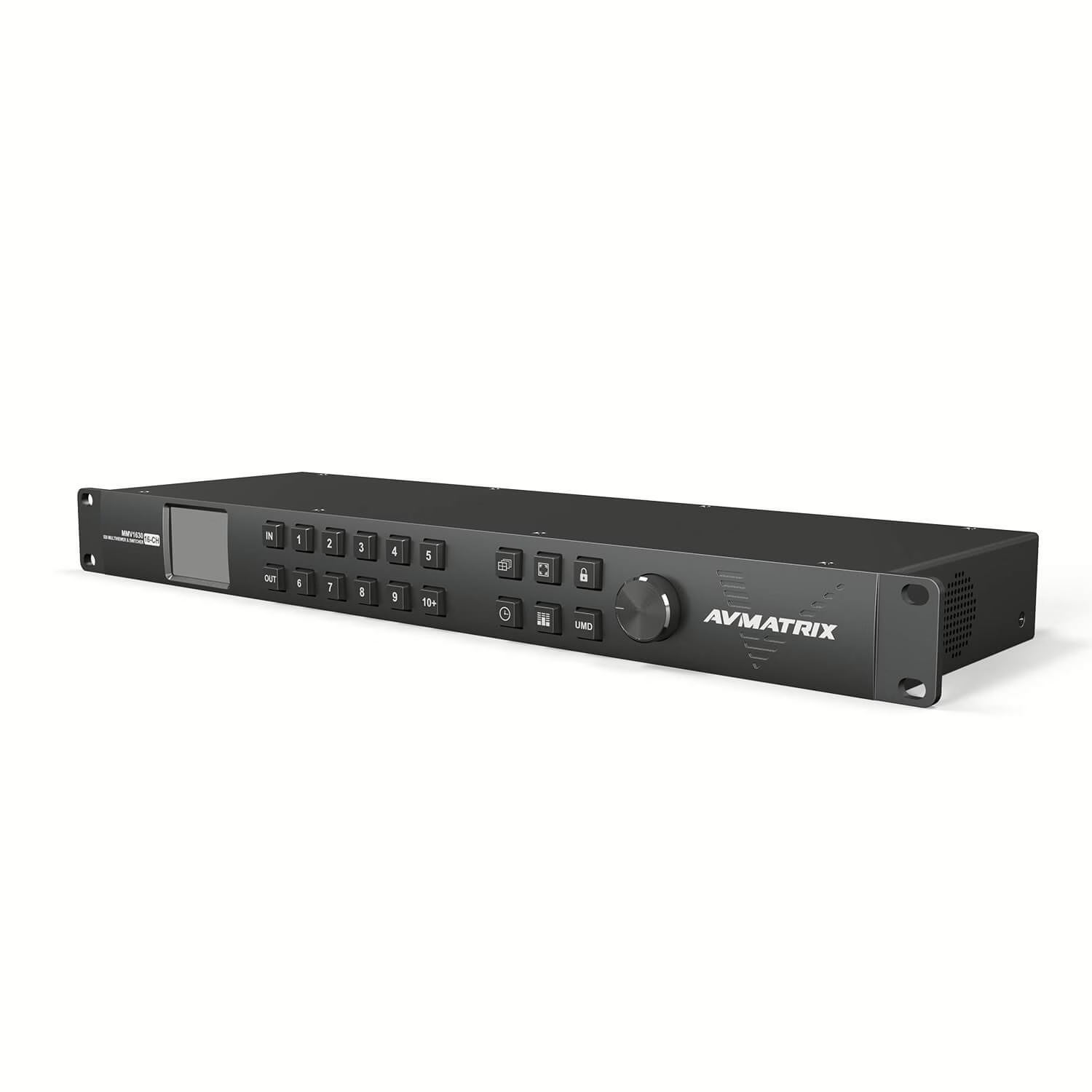
Count every source and every destination you have today — including spares and backup feeds — then add headroom, because matrices ship in fixed sizes and cannot gain ports later. Small control rooms typically fit an 8×8 MSS0811; larger or multi-zone venues step up to the 16×16 MSS1611-S. If you also need to preview every source at once, the MMV1630 is a combined multiviewer and 16×16 matrix in one chassis.
Connections, 4K and distance
AVMATRIX routing matrices are SDI over BNC coax — the broadcast standard, and far longer-reaching than HDMI. 3G-SDI carries HD up to 1080p; true 4K needs 12G-SDI or dedicated 4K HDMI hardware such as the KM32. Distance beyond roughly 100–150m of copper needs a fiber extender (up to 20km) — the matrix routes, the extender carries.
Control
Every AVMATRIX matrix can be routed from its front panel, from free PC software over LAN, and — on larger models — via RS-232/RS-422 for integration into a room-control system, plus an LCD label display and spin-knob controller. One operator can drive every output from a single interface, no rack visits required.
What it costs
Price is driven mainly by channel count, then by whether you need seamless (frame-synced) switching, redundant power, and any fiber extension. Because those vary per project, matrices are quoted per setup rather than at a flat price. See the full Matrix Switcher/Router range.
The complete matrix switcher guide
This is the hub for our full matrix switcher series — every guide below is linked from here. If you are buying, start with sizing; otherwise jump to the section you need.
Choosing & sizing the right matrix
- How many inputs and outputs do you need?
- 8×8 vs 16×16: the real difference
- Can I start with a 4×4 and expand later?
- Can I add more inputs and outputs later?
- What happens if I buy one too small?
- How to choose between brands
- How much does a good matrix switcher cost?
How it works & what it connects to
- Do matrix switchers work with 4K displays?
- Coax (SDI) vs HDMI: which to use
- HDMI/SDI vs Ethernet (AVoIP) matrices
- Extending video over long distances
- Control every display from one app
- What a control processor does
- Do they need an internet connection?
- Does a matrix add latency?
- Controlling displays in different rooms
- Matrix vs manual cable switching
- The biggest advantage of a matrix switcher
- Do they work with wireless streaming devices?
Installation & setup
- What cables and equipment you need
- Easiest matrix for a small business
- Do I need an AV engineer?
- Installation checklist for beginners
- What is included in the package?
- Using a matrix with your existing AV setup
- How to connect 9 sources to 8 displays
By use case
Reliability, troubleshooting & lifespan
- What is the lifespan of a matrix switcher?
- How reliable are budget matrices?
- Signs your matrix switcher is failing
- Troubleshooting a matrix that will not work
- Is it worth upgrading an old matrix?
- Common mistakes to avoid
- How to future-proof your investment
Ready to size a matrix switcher for your project? Our team will match the channel count, seamless-switching and redundancy to your setup and budget.